


Best Page Flip Software lets you create Flash & Html5 Flipbooks in minutes

- Platforms: Windows 8, Windows 7, Windows Vista, Windows XP
- (Click FlipBook Creator for Mac for the Mac Version)
- See our specially designed : Alpha templates 3.0.0.
 ....
....  ....
.... 




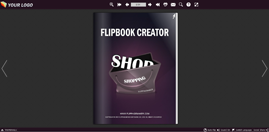
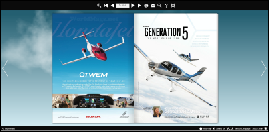
Demo 1
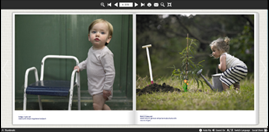
Demo 2
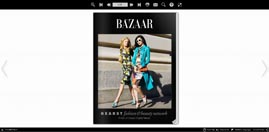
Demo 3
Demo 4
- Overview
- Features
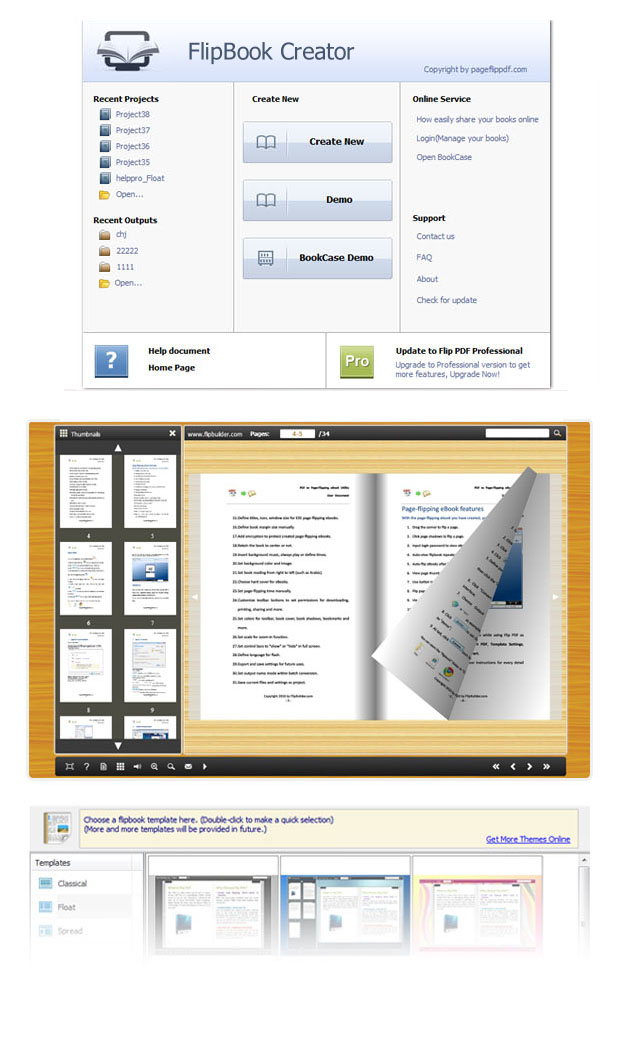
- Screenshots
- How It Works
- Vs Pro
FlipBook Creator is the best windows based page flip software for quickly and easily creating Adobe based Flash flip books for the web with page turning effect. No programming knowledge is necessary for you to create amazing digital flib books that will grab the attention of your audience.
FlipBook Creator can generate flipbooks that can be viewed on PC, Mac, iPad, iPhone and other mobile devices. You can use this tool to create flipbooks onto your local computer or server, or directly publish the flipbooks online on flippagemaker Cloud servers. Besides making Flash flipbooks, FlipBook Creator can easily create rich-media HTML5 flipbooks and online interactive demonstrations. HTML5 flipbooks are compatible with mobile browsers on devices of iOS (iPad and iPhone), Android and Windows Phone.
FlipBook Creator can be downloaded and installed on a PC or Mac computer. So that you can create as many publications as you want and control everything including the whole production and hosting of your publication in-house.

New book theme for FlipBook Creator is avaliable now. The free template for flipbooks of Bench style is online now.
To learn about the differences in features between FlipBook Creator and the FlipBook Creator Professional edition, click the "Vs Pro" tab.
Create Flash flipbook with ease
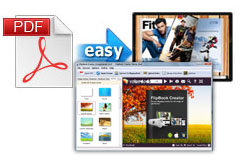
FlipBook Creator offers self publisher or book publisher an easy
and affordable way to meet their digital publishing needs.
FlipBook Creator Standard's flip book software makes it easy for anyone to create Cool 3D realistic Flash flip
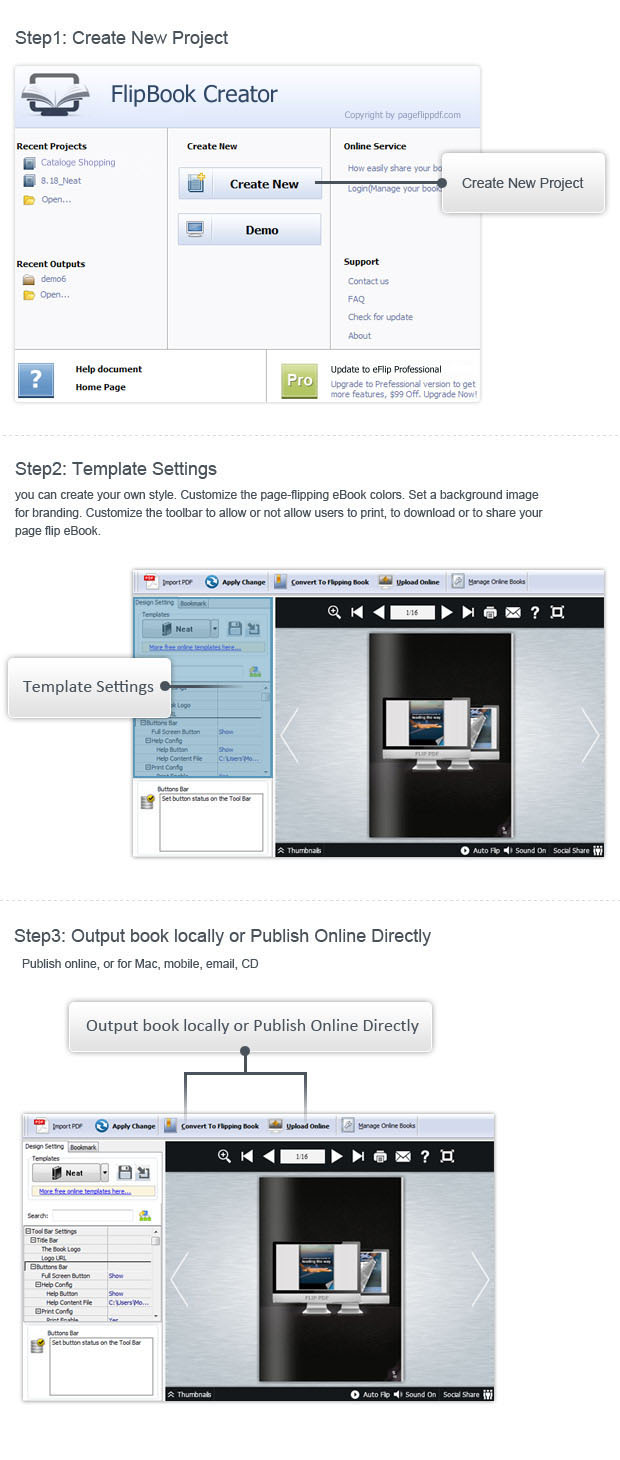
books without any programming skills. Simply with 2 steps of importing PDF/images/FLV, customizing styles and
publishing, you can create Flash or HTML5-based flip books with its intuitive user interface.
 Publish
flipbooks online instantly
Publish
flipbooks online instantly
FlipBook Crearor's integrated online service allows you to share any publication instantly, right from the FlipBook Crearor's program menu
Easily make a flipbook and instantly publish it to the online in a convenient way. No need to use any third party tool. Easily manage the uploaded flipbooks on the FlippageMaker Online server. Share the flipbooks by sending the URLs to others.
Make your Flip Book Speak
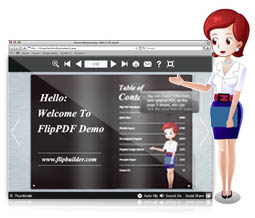
Choose an animated Assistant to tell your story book for your reader. All you need to do is figure out what you want to say. Generate your audio using our built-in speech engine. You can even import your own recorded audio (.mp3 format).
The wonderful feature will be very useful for you to build presentation for meeting, story books for kids, or language books for learning.
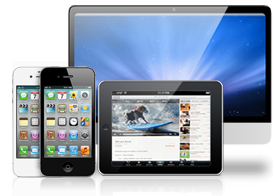
Support Mobile/Handheld Device
FlipBook Creator allows you to create HTML5 compatible page flip books for mobile devices that do not support Flash and enables you to view the created flipbooks on your iPad, iPhone, Mac, and any mobile devices. IE, Firefox, Chrome, Safari and Opera can all be well supported.
Social Media Integration
This feature allows your readers to share the ebooks they like via email or social networks, like Facebook, Twitter and MySpace.
You can share the result flipbooks online with your friends easily. Just upload the flipbook and then you can send the URL of it to others through E-mails, Twitter, FaceBoook.
Learn more about Social Media Integration
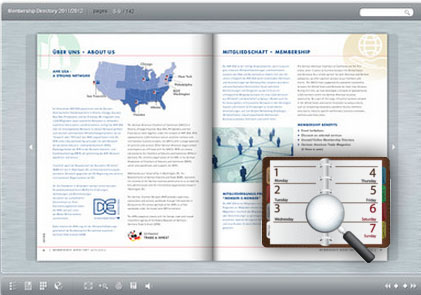 Search text and retain links
FlipBook Creator's powerful built-in search engine enables you to quickly find and highlight the text on different pages. The hyperlinks of the original files can be well retained. If you like, you can choose to disable the hyperlinks in the result flipbooks.
Create Table of Contents (Bookmarks)

Create bookmarks or Table of Contents which provide links to access pages more quickly.
FlipBook Creator automatically detects and improts Table of Contents from your PDF. You are able to edit the imported Table of Contents after imported.
If you want to create it by yourself, instead of importing from PDF, or your PDF does not contain a table of contents, FlipBook Creator can help you to create table of contents for your digital publication.
Learn more about add bookmark on flipbook
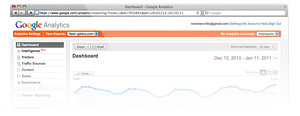
Google Analytics Integration
If you have a Google Analytics account, you can make use of FlipBook
Creator's built-in Google Analytics feature.
Measure and track all reader behavior, including number of vistors, visits and page views, time spent on
publication, time spent on page, links clicked, audios played, videos played, keywords searched and many
more...
All you need to is to enter your Google Analytics UA. For more information about Google Analytics, please
visit
HTTP://WWW.GOOGLE.COM/ANALYTICS
Learn more about add Google Analytics to flipbook
Prevention from unauthorized use
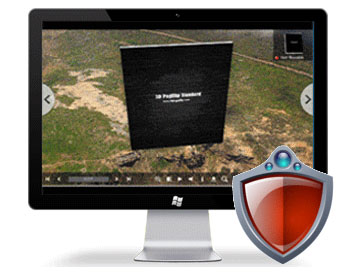
The flip book will work only on your websites. Do not be worry that somebody can copy or use your flipbook. FlipBook Creator will protect your Flip Book publication with several layers of security, from simple passwords and encryption, to restricting them to be displayed only on specific websites. While publishing your books you will be able to set the watermark if you need to protect your publication from copying.
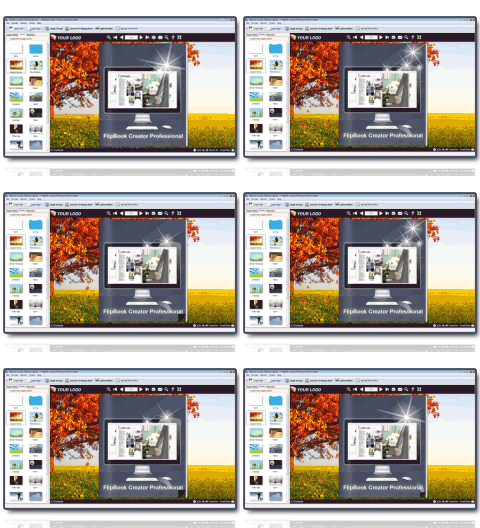 Live Wallpaper/Animated Backgrounds
Choose from an abundance of dynamic 300+ scenes and 700+ background online, specially designed to result in attention grabbing digital magazines, books, annual reports, booklets, brochures, catalogs, journals, and manuals. Even when your creative juices are not flowing, FlipBook Creator can still help you produce an amazing flipbook. And you don't even need programming experience.
Learn more about add Animated Backgrounds to flipbook
More see:
How to add online flipbook background image?
How to add online flipbook scenes?
Powerful Flip Book Settings
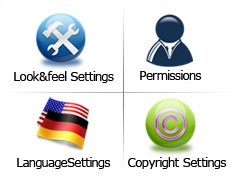
Take advantage of our Look&feel Settings to change the color and/or pattern of the navigation bar,
show or hide function buttons, rapidly apply themes to your
flip book, set live paper, pure color or an image as background.
Set Permissions by adding a password to protect your flipbook.
You can also set permissions for downloading, printing, sharing, buttons and more.
Change LanguageSettings to accomodate your readers who require a different language.
Add Copyright Settings to include your brand logo, introduce
your company, or provide contact information.
 Online Service -
Create BookShelf
Online Service -
Create BookShelf
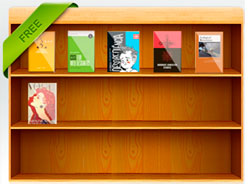
Flipbook Creator integrates BookShelf tool which could be the best tool to help you build digital library to
store and manage eBooks. All books you published on Flipbook Creator Server can be collected and shown in your
bookcase page automatically, you can easy manage and share the books via using the wonderful and realistic
BookCase tool.
More see: Flipbook Creator Bookshelf
Free Templates & Themes
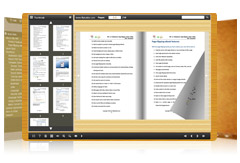
We provide free 400+ themes which allow you to get started on your flip book project right away in the page turning software . These templates are preconfigured to enable you to immediately produce professional quality flip books, but also allow you to fine-tune your flip book with our extensive configuration tools.
Learn more about flipbook themes
More see:
 Dynamically Advertising Banner
Inserting advertising banner into your page flip book is an eminently practical way to promote and advertise your
product or service with page turning magazine, brochure and catalog. For one thing, it makes your html5 flip
book attractive; for another, it can help you to deliver your readers more associated information conveniently.
It only supports images advertising banner so far.
WordPress Plugin Integration
Plug-ins can extend Wordpress to do many things you can think of. FlipBook Creator provides a flipbook plug-in
output options for users. Compared with embedding the code, installing the flipbook plug-in and embed into
WordPress, Joomla and Drupal website has never been so easier.
 Optimized Performance
for Ipad
Optimized Performance
for Ipad
Due to the HTML5 technology, flipbook creator allows users to view the page turning publication on iPad to have a wonderful reading experience. Furthermore, users can select flip mode or slide mode to view flip book and zoom in without blur with the page flip software.
Publish Online Directly via FTP
Flipbook creator allows user to upload the page flip book online via the FTP client up-loader. The flip book can
be uploaded by clicking “publish” button and select “to FTP” to start transmitting the generated file to FTP
server. Users are able to customize the upload directory, file folder easily. Obviously, it is a fast way to
publish flip book online.
 Notes and Bookmark
Friendly
Notes and Bookmark
Friendly
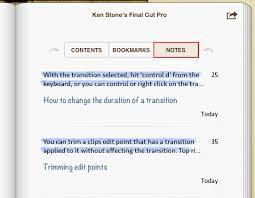
If users would like to add notes to mark reference points or important sections on the flip page, add annotation
function will help a lot. Then bookmark function is helpful to mark a page of the publication for future use.
However, it is easy to apply and simple to customize.
Single Page & Double Page View
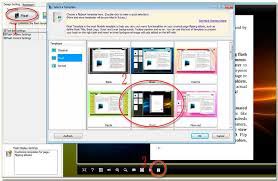
Flipbook creator allows users to select a proper mode between single and double page mode to browse page flip
book. Furthermore, it always displays double page as default actually. By the way, users are able to change the
mode while you are customizing the flipbook settings.
 Deliver Publications Everywhere
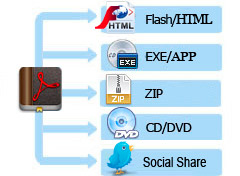
The output flipbook can be exported with following options:
- Publish Flash Flipbook to FlipBook Creator's Cloud Services;
- Upload the published Flash\html5 Flipbook to Web ;
- Generate Flipbook ZIP package for email;
- Produce stand-alone Windows (.exe) or Mac (.APP) for CD delivery;
- Export as HTML5 files for mobile view
- Built-in FTP client, which allows you to upload the digital publication to your FTP server directly.
- Enables users to publish for screensaver format in the Flipbook creator
Free product updates for lifetime!
Buy once, use forever
This might be hard to believe but buying flipbook creator not only gets you the latest version but all future flipbook creator updates free.
flipbook creator standard is desktop software that you can locally install on a PC computer. Unlike other online
PDF to Flash book services, it gives you total control of the whole production and has no limitations of the
number of PDF files. With it, you can create as many interactive online flipbooks as you wish for your own
company or for your clients, and all features are included.
More see Flipbook Creator's refund policy...
We Promise
-

SECURE
We value your privacy and protect your financial and personal data with full encryption and advanced fraud protection.
-

100% CLEAR
Our software is free of any forms of malware or virus. It is safe to install and run.
-

SUPPORT SERVICE
Knowledgeable representatives available to assist you through email within 1 business day.
Additonal FlipBook Creator Features:
- Converts PDF files to flip book based on Adobe Flash for web publishing;
- Supports selecting PDF page range for import;
- Automatically detect bleeds in PDF;
- Automatically adjust different page sizes in PDF;
- Preserves hyperlinks, bookmarks, Table of Contents and text orientation from your PDF file;
- Provides choice of hundreds of settings to configure the look and feel of your flip book;
- Provides a wide range of built-in templates or free online templates and themes;
- Set page quality and size, contains five levels;
- Supports editing an existing template and saving it as new for later use;
- Allows you to write meta title, description and keywords for web SEO (Search Engine Optimization)
when output format is
HTML; - Supports editing descriptions of function buttons for readers who speak other languages;
- Supports auto flip pages and control over the time interval;
- Supports making original PDF file available for download;
- Allows settings to be saved for further use;
- Supports password protection for flip books;
- Supports saving projects for editing on a different computer or at a later time;
- Supports Google Analytics traffic tool; Insert your own tracking code from your standard provider (e.g. Google Analytics) for visits of your online publication;
- Supports real time preview;
- Supports webpage output for publishing online;
- Supports conversion to flip book viewable on mobile/handheld devices (iPhone, iPad and Android);
- Supports .exe output for running as a standalone Windows application;
- Supports .zip output for sharing by email;
- Supports APP for running on Mac as a standalone application;
- Provides online publication of your flip books on our host service;
- Collects and shows the online flip book on our service in bookcase;
- Allows readers to add annotations like text note and shapes on flip pages;
- Allows creating bookmark tabs with caption and page index;
- Import bookmarks, file text content together with PDF, make PageFlip book more flexible;
- Comprehensive built-in search engine for word, sentences, or numbers;
- Insert title and metatags descriptions and meta keywords;
Output Flash Flip Book Features:
- Includes three options for page turning:
1. Dragging the page corner
2. Using the Previous and Next buttons
3. Using page thumbnails - Supports automatic page turning;
- Use thumbnail to navigate;
- Zoom in/ out both pages;
- Turn on or turn off the page-turning sound;
- Double click to change to the thumbnail mode;
- Input password to unlock encrypted pages;
- View flipbook repeatedly;
- Full screen view mode;
- Allows printing of your brand logo (watermarks: text, image, date/ time, etc) to label your flip book;
- Includes option to turn background music on/off;
- Supports adding background music and control over playing intervals;
- Share flip books with friends on social networks including Facebook, Twitter, Linkedin, Google, etc...
- Switch to full screen display;
- Allows showing or hiding any button (search, print, magnify, page index, About, share, etc) you want; Add/remove buttons on navigation toolbar;
- Print any page;
- Ability to "loop" flip book animations;
- Search content using keywords;
- Enlarge flip book to enable easier reading;
- Share flip book hyperlink via email;
- Download any file you attached to the flip book;
- Insert background sound in flipbook to enhance presentation easily;
- Enable readers to play flip book without action with using auto flip reading mode;
- Set different languages to use for tips of buttons, also can allow users to switch between different languages;
- Allow readers to share e-books via E-mail, Facebook, Twitter, etc.
| Item | Features | FlipBook Creator | FlipBook Creator Pro |
|---|---|---|---|
|
1
|
Convert PDF files to Adobe© Flash® based flip books
|
 |
|
|
2
|
Output in different formats: HTML, EXE, Zip, Mac App, Mobile version and Burn to CD
|
|
|
|
3
|
Apply pre-designed templates
|
|
|
|
4
|
Batch convert multiple PDF files to single or multiple flip books
|
|
|
|
5
|
Unlimited online views and broadband (flippagemaker cloud hosting)
|
|
|
|
6
|
Easy user administration - No education or programming knowledge needed
|
|
|
|
7
|
HTML sitemap til Search Engine Optimization (SEO)
|
|
|
|
8
|
Insert title and metatags descriptions and meta keywords
|
|
|
|
9
|
Insert your own tracking code from your standard provider (e.g. Google Analytics) for visits of your online publication
|
|
|
|
10
|
Animated teaser / banner for your online publication to place at your WEB site
|
|
|
|
11
|
Optimized for 1024 x 768 resolution, your readers will get the best experience and avoid scrolling to see complete layout
|
|
|
|
12
|
Browser compatibility: Explorer • Safari • Firefox • Mozilla • Chrome • AOL • NetScape
|
|
|
|
13
|
Unlimited online views and broadband (flippagemaker cloud hosting)
|
|
|
|
14
|
Import bookmarks, hyperlinks, email links, from PDF files
|
|
|
|
15
|
Add watermarks, text, image, dynamic date/ time
|
|
|
|
16
|
Add Image or Flash logo
|
|
|
|
17
|
Add HTML title containing hyperlink to webpage
|
|
|
|
18
|
Customize template details such as margins, background images, page display orientation, cover type
|
|
|
|
19
|
Add Help config to manually define content using images or SWF
|
|
|
|
20
|
Customize toolbar buttons to set permissions for downloading, printing, sharing and more
|
|
|
|
21
|
Export and save settings for future use
|
|
|
|
22
|
Choose from multiple languages for your flip book
|
|
|
|
23
|
Password protect your flip books
|
|
|
|
24
|
Add Minime style to display flip books without the toolbar
|
|
|
|
25
|
Include titles, keywords and other metadata for HTML output
|
|
|
|
26
|
Save themes for later use
|
|
|
|
27
|
Replace existing icons on toolbar by editing Icon Flash file
|
 |
|
|
28
|
Add new icons to toolbar with calling actions
|
|
|
|
29
|
Add About button to show contact or other information
|
|
|
|
30
|
Insert images to the imported pages
|
|
|
|
31
|
Edit pages by adding links (web page/web/Javascript function)
|
|
|
|
32
|
Embed FLV movie and/or YouTube video
|
|
|
|
33
|
Add sound to pages
|
|
|
|
34
|
Embed SWF flash
|
|
|
|
35
|
Insert buttons on pages to link, call Javascript function, or play Flash or other video in pop up window
|
|
|
|
36
|
Use command line to convert PDF files without opening the application
|
|
|
|
37
|
Insert static or dynamic text, single or multiple photo slideshow, lines, graphics, buttons
|
|
|
|
38
|
Call Javacript, add notes, highlight a specific area, set print area
|
|
|
|
39
|
Add animated scenes
|
|
|
|
40
|
Insert animated figure to narrate designated dialogue
|
|
|
|
41
|
Upload created flipbook online without export directly
|
|
|
|
42
|
Show uploaded e-book in a bookcase, design your own bookcase and upload the bookcase online
|
|
|
|
43
|
Allow readers to add annotations on flip pages
|
|
|